Holiday cyber attacks are here. This time of the year is supposed to be for resting, reconnecting, and rejoicing. However, cybercriminals see it as the perfect time to take advantage of your business. Which leads to massive growth in cyberattacks. To avoid a disaster, it’s important for your organization to know what threats it faces and the cybersecurity tips that will help secure it this holiday season.
Key Takeaways
- Holidays raise cyberattack risk because staff are away on holiday leave and employees are distracted.
- Social engineering, ransomware, DDoS attacks, and employee-targeted scams are four threats to plan for this season.
- Five steps can help lower the risk and cost of a holiday attack: regular security awareness training, software updates, strong passwords with multi-factor authentication, 24/7 network monitoring, and a recovery plan.
Table of Contents
Why Cyberattacks Increase During the Holidays
Cyber criminals love the holiday season just as much as most of us do. However, they don’t spend time with friends and family, decorate a Christmas tree, or sit by a fireplace with a warm drink in hand like us. Instead, they take every opportunity to go online and hunt.
They prey on the weak, vulnerable, and unsuspecting. Which pays off because many companies and organizations are less responsive.
“Cyber criminals may view holidays and weekends – especially holiday weekends – as attractive timeframes to target potential victims, including small and large businesses,” stated CISA in one of its alerts.
So, why do the holidays increase cyber attacks in the US?
IT professionals are not working
Organizations that rely on an in-house IT team usually have fewer people available to respond to threats during holidays. This leaves them more vulnerable and unable to act promptly. It may be too late to avoid damages when an IT professional gets to the office.
Employees are distracted
Employees working for companies that experience a spike in demand during the holiday season may be so busy they forget to implement cybersecurity best practices.
Organizations have more to lose
According to the National Retail Federation, holiday sales in November and December have averaged about 19 percent of annual sales over the past five years. As a result, any disruption happening at this time of the year can be very costly for the targeted organization and rewarding for the attacker.
Employees working remotely are easier targets
More people are on the move during the holiday season. Unsecured access to the internet via public Wi-Fi puts you at an increased risk. Also, remote workers are susceptible because they don’t have access to the protective measures your staff at the office possess.
Top Cyber Threats During the Holiday Season
Organizations face the same cyber threats (or slight variations) every holiday season. Knowing what the threats are and how they work is an essential prerequisite for implementing effective countermeasures.
Social engineering attacks
There are many different types of social engineering attacks, and they all skyrocket around holidays.
Phishing, for example, spikes hard. Darktrace found that phishing aimed at Black Friday sales rose 620 percent between the start of November and November 25, 2025. What’s more, fake emails impersonating large retailers like Walmart, Macy’s, and Best Buy jumped 54 percent in a single week.
It’s easy to find similar alarming statistics for smishing, vishing, business email compromise (BEC), tailgating, and other scams.

Holiday social engineering attacks often take advantage of employees expecting to receive holiday email messages from coworkers, clients, and business partners. This makes them more likely to open malicious messages and any attachments.
Ransomware
Ransomware is malicious software that denies access to data or a device until a ransom is paid. This cyber threat has become the dominant form of malware. The Semperis 2025 Ransomware Holiday Risk Report found that 52 percent of surveyed organizations were hit by ransomware on a weekend or holiday.
These attacks tend to go together with social engineering. However, they can also be delivered as fileless malware by abusing vulnerabilities present in legitimate tools or directing targets to infected websites.
Attackers know defenders are thin at those times. In the same survey, 78 percent of organizations cut security operations center staffing by 50 percent or more on holidays and weekends, and CISA and the FBI recommend keeping IT security staff on call during them. Ensure that after-hours coverage is available to respond within a set time, in case of an emergency.
DDoS attacks
Between November 15, 2025, and January 5, 2026, Microsoft’s Azure DDoS Protection mitigated about 174,054 inbound distributed denial-of-service (DDoS) attacks.
These attacks attempt to overwhelm the target with bogus internet traffic coming from a huge number of devices at once.
Unfortunately, they can create long-lasting outages. Causing companies a major loss of revenue.
In the past, there have been cases of shady business owners using DDoS-as-a-Service tools to take out their competitors so that customers would have fewer options to choose from.
Holiday scams
The last category of cyber threats to watch out for during the holiday season is the broadest. It includes various holiday scams, such as:
- Fake charities
- Gift card scams
- Fake gift exchanges
- Package delivery scams
- Among others
These scams share the same goal of extracting money from unsuspecting victims. As such, they rarely disrupt the operations of organizations, but they may cause a lot of distress to their employees. Because these scams go after your people instead of your systems, we’ll explore a breakdown of the six most common year-end scams, with a fix for each one.
6 Year-end Scams Your Employees Will See This Holiday Season
The year end is a busy time for most organizations – from updating employee benefits to renewing insurance plans. And, unfortunately, scammers know it. With orgs operating with less staff due to PTO and employees taking on extra workloads, identity thieves see your organization as a prime target.
They often reach for the same old standbys because people still respond to them. So, let’s keep you prepared. Here are six of the most common tactics you’ll see.
1. Employee benefits and health savings account scams
These scams rely on employees not knowing company policies. The scammer emails an employee to say their benefits will expire, or that they need to renew them for the new year. The email links to a fake website where the employee “logs in” and hands over their credentials.
Solution: Ask the appropriate person in your organization about anything benefit-related. Don’t rely on random emails or calls.
2. Microsoft (or other software) end-of-year upgrade scams
This scam comes in the form of an email telling you that your software is about to expire and that you need to send money to renew it. Scammers try to scare you by saying Microsoft will close your email account, or something similar.
Solution:
- Always ask your IT team or managed IT provider about the status of your licenses.
- If you’re considering outsourcing all or part of your IT, see how Teal can manage your software licenses, provide security awareness training, keep your data secure, and maintain compliance.
3. Phone call scams (aka vishing)
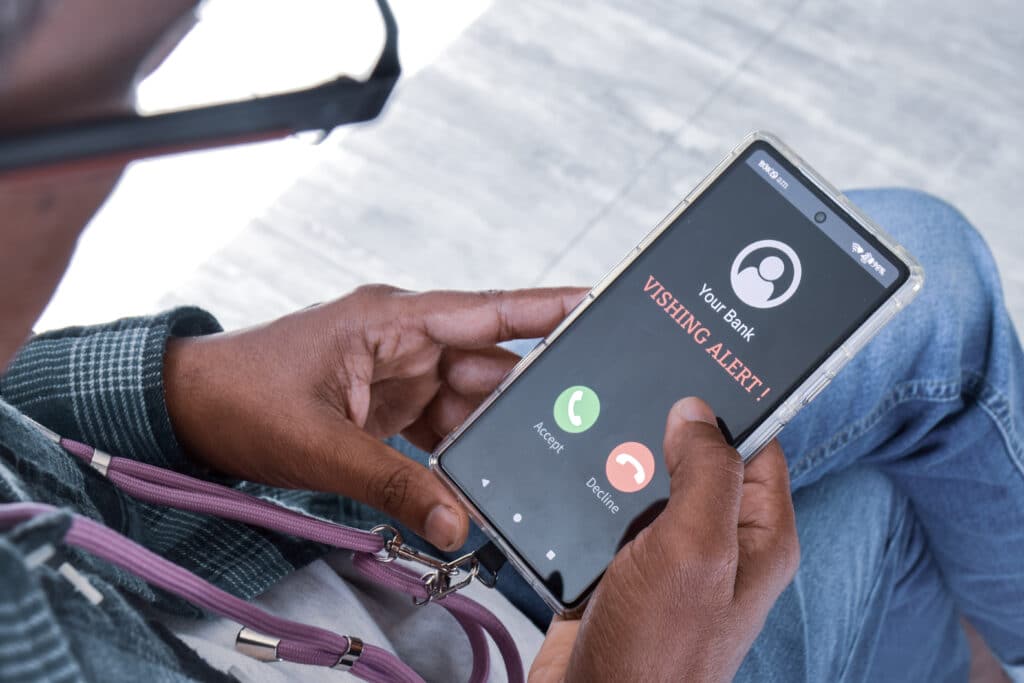
With staff overworked, hackers are more likely to count on employee exhaustion by calling directly instead of emailing. Vishing scammers pretend to be from the IRS, Microsoft, or some other group that needs credentials, passwords, or access to a computer.
Solution:
- Remember, none of these organizations will call you out of the blue and make you resolve an issue on the spot.
- Even if the scenario is different, and you doubt the call’s legitimacy, take a breath and calmly end it.
- If you’re concerned that you ended a conversation with a legitimate organization, call them directly with a number you know. Then, ask if they can confirm the call.
4. Charity scams
Many people want to give to charities toward the end of the year. Scammers take advantage of that by sending fake charity emails, hoping people will send them money.
Solution:
- Be wary of high-pressure donation requests, and never send money to people who ask for it over email.
- If you want to donate to a specific charity, navigate directly to their website. Don’t click on a link in an email.
- Verify the charity’s legitimacy through trusted sites like Charity Navigator or GuideStar.

5. Travel scams
This scam preys on employees planning year-end or holiday travel. The excitement of a vacation can make people less vigilant, so scammers create enticing offers and fake rental listings that seem too good to pass up.
Typically, they advertise vacation properties that don’t exist or trick travelers into paying for deals loaded with hidden fees. Victims may quickly find themselves out of money with no place to stay.
Solution:
- Use trusted platforms for booking vacation rentals and read reviews. Contact the property owner through the official site.
- If a travel deal seems too good to be true, it probably is. Check for hidden fees or call the travel company directly to confirm details.
- Use a credit card for bookings to have fraud protection and the ability to dispute charges.
Learn more about how to avoid travel scams from the Federal Trade Commission.
6. Unpaid invoice scams
This scam exploits busy or distracted employees. Scammers send fake invoices that appear legitimate, hoping the urgency of daily operations will prevent a thorough review. They may impersonate a known vendor or create convincing details to trick employees into making a payment.
Without proper verification processes, businesses risk losing money to fraudulent transactions and may only discover the deception once it’s too late.
Solution:
- Assign more than one person to handle and approve invoices to ensure consistency and oversight.
- Review all invoices carefully, paying close attention to details like vendor names, account numbers, and payment terms. Compare the account number on the invoice with the one registered for your actual vendor; discrepancies could indicate a scam.
- Be cautious of invoices or payment requests from unfamiliar vendors or locations. If an invoice doesn’t include a contact number, consider it a red flag. Scammers often omit this information to avoid questions or complaints.
- Double-check with the employee who supposedly authorized the order to confirm its legitimacy.
- Never pay for goods or services until you have verified that they were ordered and properly received.
Scams That Ride the News Cycle
Not every scam aligns with things that may be on your calendar. Many scammers love to watch the news for anything that has people confused or worried, such as tax law changes. Then, they craft phishing emails, text messages, or deepfake videos around it.
Four examples come to mind:
- Student loan debt relief scams
- “Charges from Iran” Bank Impersonation scams
- Israel-Hamas War scams
- Political election scams
Hackers may send fake articles for you to click, ask for your information to help you navigate something, or pretend to be government agents and demand money. Voters are especially vulnerable because a flood of genuine campaign texts makes the fake ones harder to spot.

Potential voters are overwhelmed by candidate texts – making it difficult to
distinguish genuine messages from fake ones (CBS News)
Solution: Think before you take any action, and get good at phishing prevention. Strengthen your organization’s defenses with our phishing cheat sheet.
Knowing about the scams is half of the work. The other half is the habits and protections that stop them from taking hold within your organization.
5 Holiday Cybersecurity Tips
We hate seeing the holiday season ruined by cyberattacks. That’s why we recommend organizations take these five steps to better protect your business.
1. Conduct regular security awareness training.
Conduct monthly security awareness training sessions for employees – with phishing simulations – no more than 15 minutes per person for most organizations. Educate them about the threats described in this article so they can avoid them better.
2. Keep software updated.
Update your software to reduce the number of vulnerabilities cyber criminals can exploit to breach your defenses. Don’t forget to update employees’ personal devices if they are allowed to connect to your network.
3. Use good password hygiene.
Review password best practices and enable multi-factor authentication (MFA) to prevent a single leaked or stolen password from being used to compromise all your systems.
4. Monitor network activity.
Monitor network activity 24/7 for early signs of cyberattacks. Smaller organizations with limited or no IT staff should partner with a managed security service provider offering comprehensive cybersecurity solutions to ensure you have around-the-clock network protection.
5. Have a plan.
Have a contingency plan ready to recover from a cyberattack. Every second of downtime during the holiday season is expensive. You can quickly resume operations and keep the cost of the attack as low as possible with a well-thought-out plan.
Stay Vigilant
Cybercriminals won’t hesitate to ruin the holiday season for any organization that isn’t sufficiently protected against these threats.
If you’ve already taken steps to strengthen your cybersecurity posture, continue to review your defenses and remain vigilant because the holiday season is the perfect time for cybercriminals to strike.
Should you need help protecting your systems and training your employees on what to look for, our team of cybersecurity professionals can help. Learn more about our managed cybersecurity services.