Leveraging AI in nonprofits isn’t a conversation for the future. Legal aid organizations are already using it, and some are getting it wrong in ways that put their clients at risk.
Key Takeaways
- AI for nonprofits can reduce staff burden and improve service delivery when it’s deployed against the right problems with proper oversight.
- Equity monitoring and plain-language translation are two areas where legal aid organizations see immediate, low-risk value.
- Any AI tool that touches client data requires a documented access policy, a compliance review, and staff training that goes beyond a one-time introduction.
Table of Contents
How Can AI Help Nonprofits?
The honest answer is in more places than most organizations are currently using it, but with less margin for error than many vendors will tell you. For legal aid teams specifically, AI is doing significant work in six areas right now.
1. Spot patterns before your team can pull a report.
AI can analyze case outcomes, service demand spikes, and repeat barriers across your caseload faster than any manual review. If eviction filings are spiking in a specific zip code, your team knows before the surge hits intake.
2. Translate complex legal content into plain language.
Legal documents are written for attorneys, not clients. AI can rewrite protective order explainers, eligibility notices, and court instructions at a reading level that actually serves the people in your waiting room.
3. Surface where staff time is misaligned with program goals.
When capacity feels stretched, it’s often because time is going somewhere it shouldn’t. AI can flag where staff hours don’t match program priorities – giving leadership a clearer picture before it becomes a budget conversation.
4. Draft client-facing FAQs and intake materials.
Expungement clinics, housing workshops, and benefits screenings all generate the same questions. AI can draft the FAQs, documentation checklists, and eligibility summaries your team rewrites from scratch every time.
5. Monitor equity impacts across demographics and regions.
AI can track service disparities across zip codes, demographics, and case types — and surface them for human review before they become patterns no one noticed. The tool flags it. Your team decides what to do with it.
6. Mine institutional knowledge that is locked in internal archives.
Five years of clinic surveys, program reports, and policy documents contain more insight than most leadership teams have time to read. AI can summarize and surface trends across that history in a format your team can actually use.
Where AI Can Backfire for Legal Aid Teams
The most common failure isn’t a dramatic breach. It’s a staff member using a general-purpose AI tool to draft case notes or summarize client intake forms without anyone checking:
- Whether that tool is approved
- What it does with the data it processes
- Whether it meets your confidentiality obligations
Client data covered by attorney-client privilege or state confidentiality rules doesn’t belong in a tool your organization hasn’t vetted. By the time the problem surfaces, the data has already moved somewhere it shouldn’t have.
Before You Scale AI, Ask the Hard Questions
Chances are, someone on your team is already using AI – whether your organization has a policy for it or not. That’s not a criticism; it’s where most nonprofits are right now.
The resource below includes a readiness checklist that legal aid teams can use before deploying AI at scale. But any nonprofit or association can use it before deploying AI.
Most organizations that run into trouble with AI lack a documented process for the decisions that happen before a tool goes live. That’s what this resource is for.
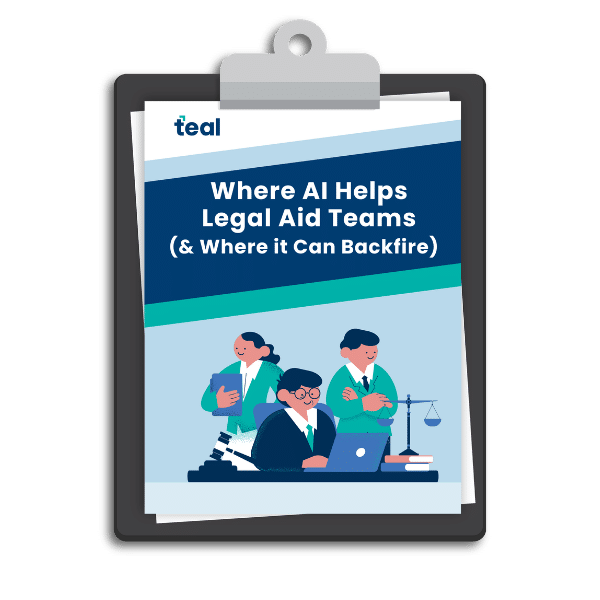
AI can help your team do more with less, but without guardrails, it can also put client data and funder trust at risk. Explore how to know the difference.
FAQ
Is ChatGPT free for nonprofits?
No. OpenAI offers ChatGPT Business to small nonprofits at $8 per user per month. ChatGPT Business does not train on your data and includes enterprise-grade security features. Eligibility is verified through Goodstack.
Does Claude AI offer a nonprofit discount?
Yes. Anthropic offers up to 75% off Claude Team plans for qualifying nonprofits through Claude for Nonprofits. The Team plan suits smaller organizations, though it does not include the additional security features and administrative controls available on the Enterprise plan. The program also includes free connectors to nonprofit tools like Blackbaud, Candid, and Benevity, plus a free AI training course.
How much is Gemini for nonprofits?
Google Workspace for Nonprofits includes several Gemini AI features at no cost for qualifying organizations – including secure access to the Gemini chat app, PDF summarization, and NotebookLM. Data is not used to train Google’s models, and features are compliant with HIPAA and other compliance certifications.